Sometimes we need to remove parts of a dataset before analysis. The Slice node in NeoStat can be used for this. In this post we’ll be using the famous Iris dataset.
The Slice node takes a dataset as input, removes parts of it as specified by two text fields, and then outputs a new dataset.
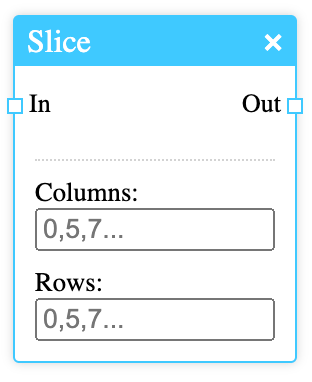
The fields take numbers separated by commas, which are indices of the columns and rows. Ranges can be specified by entering two numbers separated by a colon.
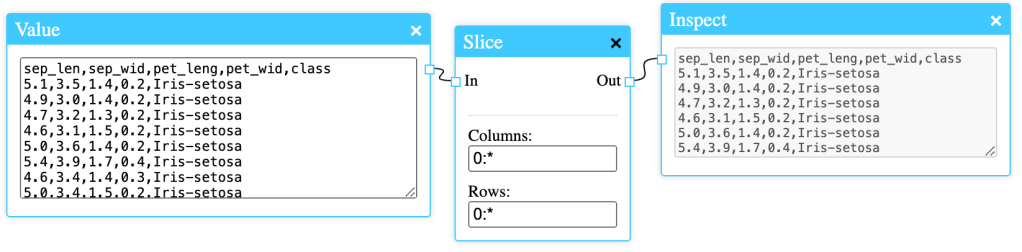
In this example the full Iris dataset is entered in the Value node. The asterisk (*) symbol is replaced by the column or row count, depending on which field it’s entered in. The Slice node above will not change the data at all in the configuration above.
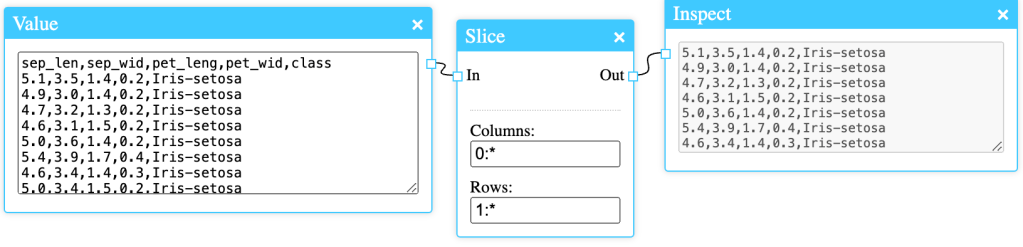
The Slice node above will remove the first record from the dataset, which is often the header.

If we only want the petal length, petal width and class, we can enter 2,3,4 in the column field.
The Slice node can be useful when working with large datasets that come from external sources as they sometimes contain data we’re not interested in.
 Simple Statistics
Leave a comment